
Helping merchants discover and handle exception requests in their daily workflow
This project was completed during my internship at ByteDance, within the Douyin E-commerce team (TikTok Shop China), focusing on the merchant-facing platform: Doudian.
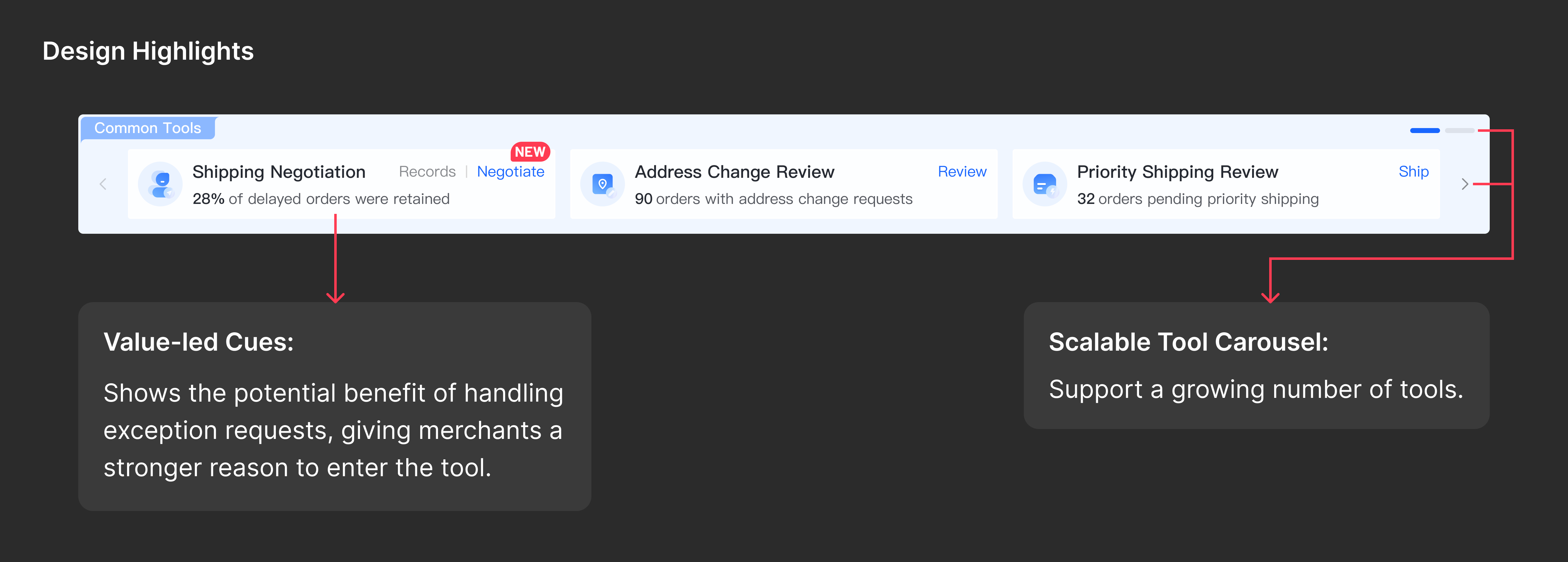
Exception requests now find merchants, instead of the other way around. I designed a Common Tools module inside Order Management that surfaces what’s pending and takes merchants straight into handling, then reshaped the status navigation and filters around it so the order list never drops below the fold.

One place to manage orders, another to handle exceptions
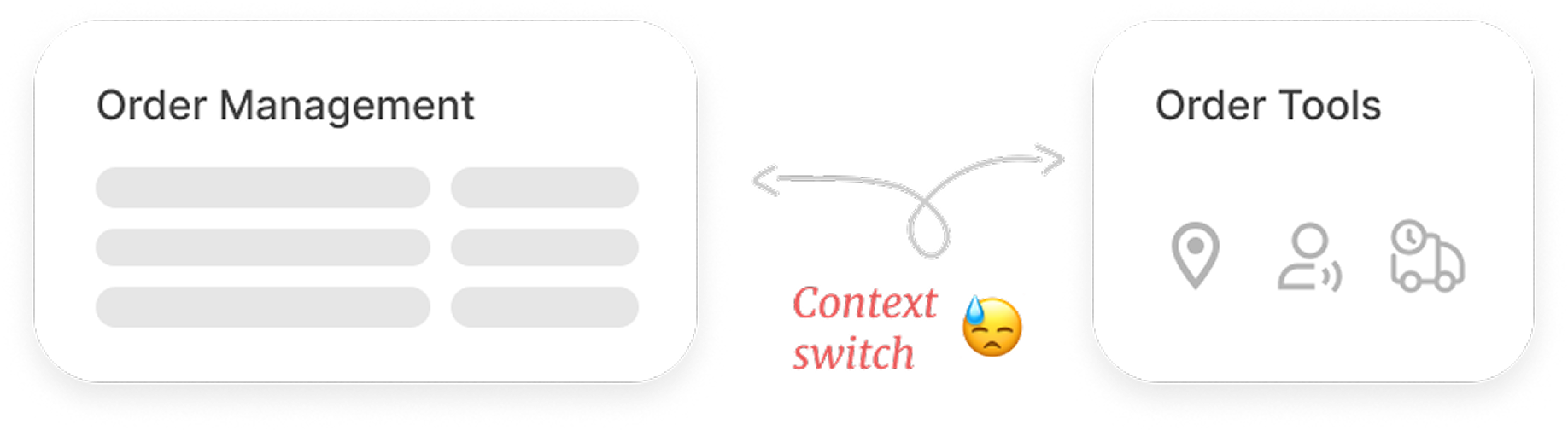
Douyin E-commerce has two separate modules for handling orders. Order Management supports high-volume, standardized order processing, while Order Tools handles less frequent, more complex exceptions, such as address changes and shipping negotiations.
Order Management
- Track orders shipping status
- Take individual and bulk order actions
Order Tools
- Handle exceptions outside the standard flow
- Configure review and automation rules
Merchants missed exception requests until it was too late
Merchants rarely checked Order Tools, making pending requests easy to miss and increasing the risk of costly refunds or reshipments.
Shaping the direction of the solution
Merchants were expected to check for exceptions themselves. I explored how to reduce reliance on these checks and help merchants recognize and act on pending requests.
I started by exploring how requests could better reach merchants without relying on them to check. I compared three approaches, weighing visibility against added steps and interruptions.
Add a review step
Have merchants review exceptions at a designated point, like before shipping.
Is the added step worth it?Would it be too much work for merchants?
Trigger a notification
Proactively alert merchants when a request arrives.
Will alerts be ignored?Will they interrupt the work in progress?
Embed discovery in daily work
Surface exceptions as merchants carry out their existing order-processing tasks.
How can tasks earn attention without disrupting routine work?
Why this direction
Merchants primarily worked in Order Management, so I chose to build on their existing habits and reduce the need to check elsewhere.
Embedding exception discovery in daily work raised another question: should the handling move there too? Would fewer page switches be worth the added complexity?
Handle on the order page
Complete tasks without switching pages
Adds complexity to the order page
Handle in a dedicated tool
Retain tool capabilities without crowding the order page
Requires switching workspaces
Why this direction
Reusing existing tools reduces engineering effort, supports detailed handling, and keeps new exception types from adding complexity to the order page.
Exception tasks surfaced, handling tools connected
I brought exception-task information and entry points into Order Management, helping merchants identify what needed attention and move into handling.
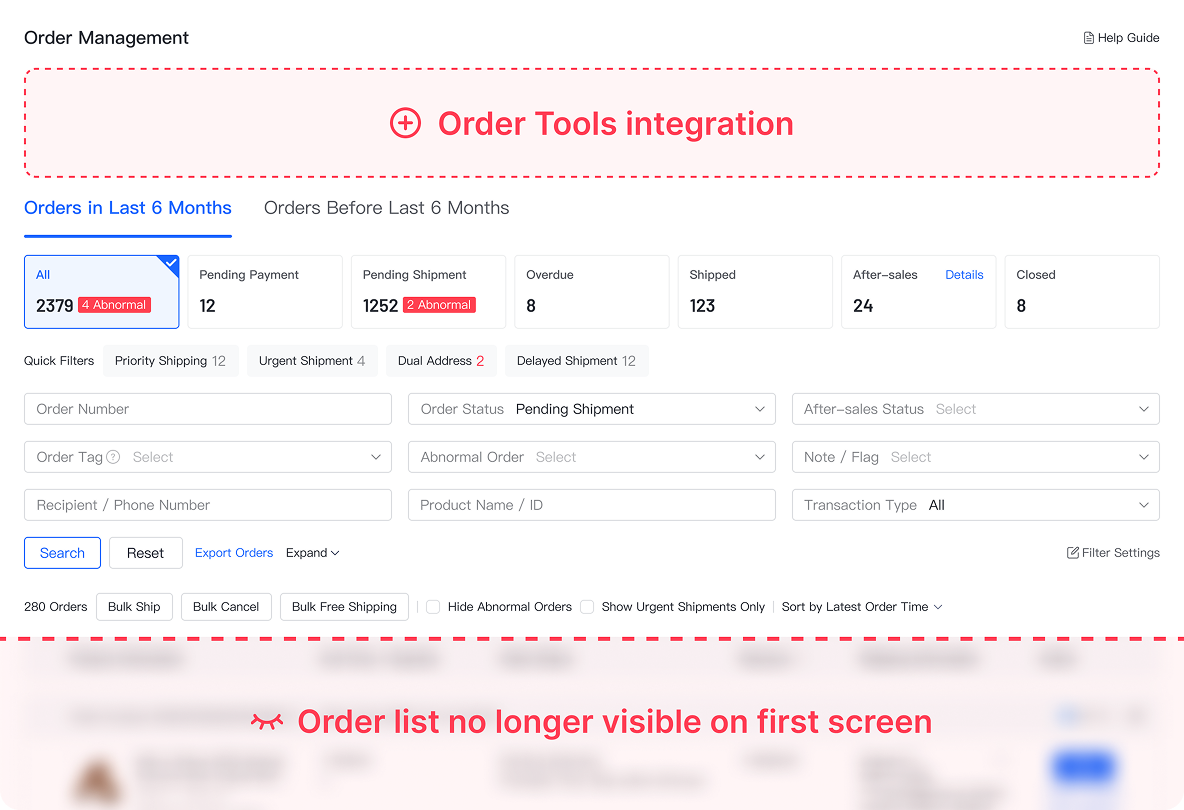
Making room for exception tasks while keeping orders in view
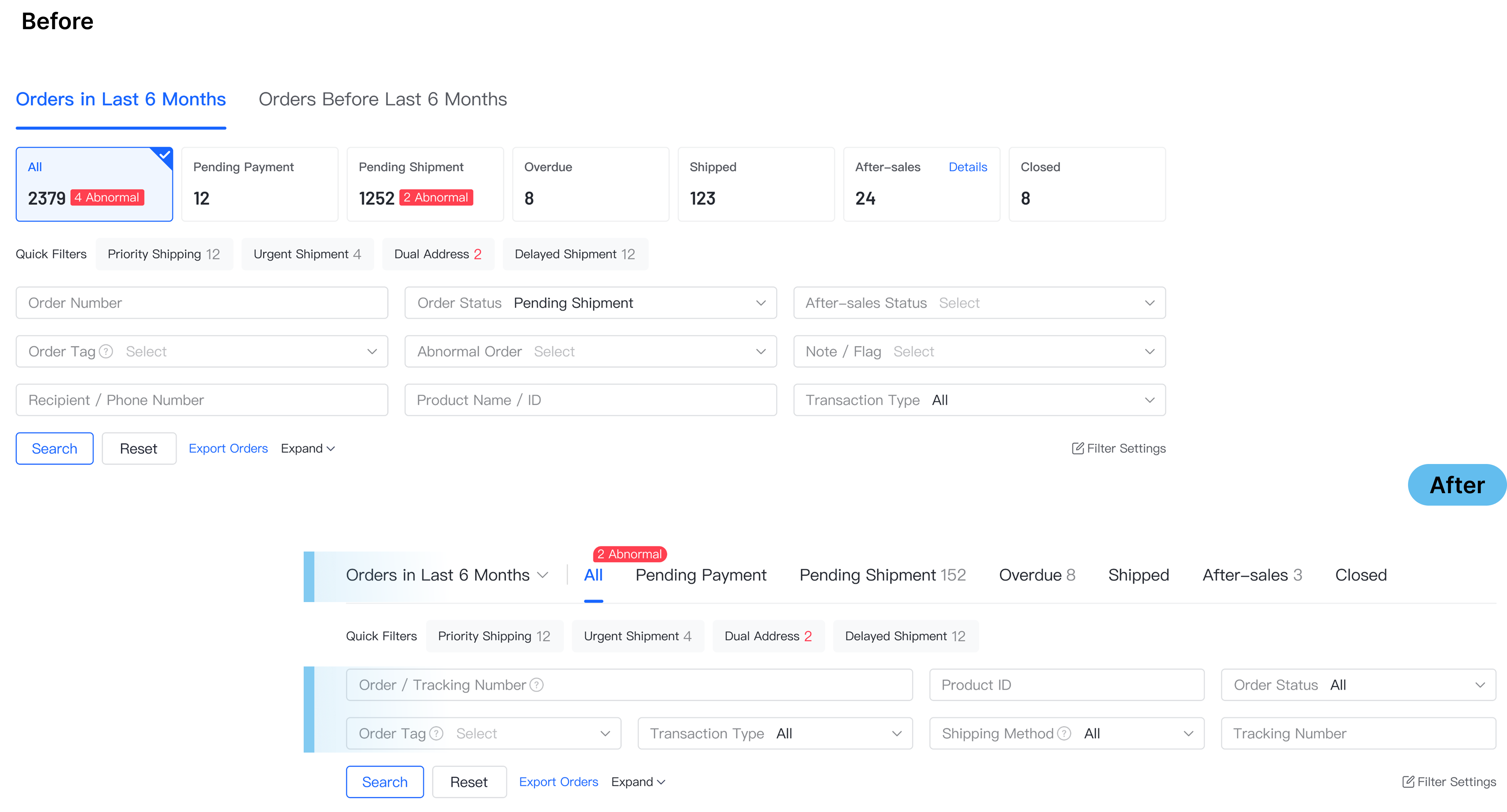
Adding the Common Tools module pushed the order list below the initial viewport. I restructured the status navigation and filters to reduce vertical density while preserving the existing order-management workflow.
What I've learned
Small changes require a broader view
Even a change to one module needs to be evaluated across the full workflow. The interface change may be small, but its impact can reach beyond it.
Existing workflows carry familiar habits
Reusing tools can reduce engineering effort and preserve familiar ways of working. The key is knowing what needs to change and what is worth keeping.